
How to Fix Zero Search Results in Ecommerce: A UX Guide
By Seekora Editor
May 19, 2026

Of every UX failure that goes unnoticed on an ecommerce site, the zero search results page is the most expensive. A shopper types a query into the search bar, the page returns an empty panel and a polite "no results found" message, and the shopper bounces — almost always to a competitor. The team behind the catalog rarely sees the cost because the bounce does not look like a checkout failure, a cart abandonment, or a form error. It looks like nothing at all.
This guide walks through why keyword search keeps generating zero-results pages on perfectly normal shopper queries, what each empty page actually costs, and how AI-native discovery — specifically vector embeddings and neural intent matching — eliminates the failure mode natively rather than papering over it.
Why zero-results pages quietly kill ecommerce revenue
The industry-standard analytics dashboard tracks bounce rate, conversion rate, and revenue per session. None of those metrics highlight zero-results events specifically, because the underlying event log treats a search-with-zero-results identically to a search-with-results-but-no-click. Both register as a search-without-conversion. Both look like a top-of-funnel softness problem.
But they are not the same. A search with bad results is recoverable — the team can tune ranking, add facets, or boost the right products. A search with no results at all is a dead end. The shopper has nothing to interact with, no signal to follow, no recommendation to consider. The session ends.
Ecommerce teams that instrument their search engine with a dedicated zero-results metric routinely discover that 8% to 15% of all on-site searches return zero hits. On a catalog doing a million monthly searches, that is between eighty and one-hundred-fifty thousand dead-end shopper sessions every month — most of which never get a second chance.
The three reasons keyword search fails on real shopper queries
The vast majority of zero-results events fall into three structural patterns. None of them are the shopper's fault, and none of them are recoverable through keyword tuning alone.
Pattern one: vocabulary mismatch. A shopper types "sneakers for flat feet". The catalog has dozens of suitable products. None of them have the literal phrase "flat feet" in their title, because product copy was written for SEO around terms like "arch support" and "motion control". The keyword engine tokenizes the query, fails to match any product on the phrase "flat feet", and returns zero. The shopper got the intent right; the catalog speaks a different dialect.
Pattern two: long-tail intent. A shopper types "running gift for my brother who just started training". Classical search engines are tuned for two- and three-word queries. A nine-word query exceeds the assumptions baked into the relevance model. The engine either returns zero or returns a few products that match individual words ("running", "gift") but miss the intent entirely. Either way the shopper sees noise, not signal.
Pattern three: multimodal or constraint-rich queries. A shopper uploads a room photo and asks for a side table that matches the color palette. Or asks for "a waterproof hiking jacket that ships in two days under $200". Classical search has no language for visual references, time-window constraints, or multi-clause queries. The fallback is almost always zero hits.
Each pattern compounds with the others. A long-tail query with a vocabulary mismatch and a constraint clause — a real, frequent shopper behavior — has near-zero chance of returning a useful result through a classical search index.
What every empty results page actually costs
The per-event cost of a zero-results page is easy to underestimate because it is spread across three rarely-aggregated buckets.
First, the direct conversion loss. The shopper who saw zero results was, by construction, intent-loaded — they cared enough to use the search bar instead of browsing. Their probability of converting was higher than the site-wide baseline. Losing them costs more than losing an idle browser. Conservative estimates put the conversion uplift on rescued zero-results events at 3% to 7% of total search revenue.
Second, the brand cost. A shopper who hits an empty page on one query is significantly less likely to use the search bar again on the same site. The team has trained that shopper, in a single bounce, to treat the catalog as a place where search does not work. Future sessions skew toward navigation through categories — slower, narrower, and less personalized than search-driven discovery would have been.
Third, the data cost. Every zero-results event is a missed signal opportunity. The shopper expressed an intent; the catalog learned nothing about whether that intent was served by any of the catalog's actual SKUs. A discovery layer that retrieves something relevant on every query — even when the literal terms do not match — captures that signal and feeds it back into ranking, merchandising, and inventory decisions.
What vector embeddings actually fix
The technical fix for zero-results pages is to stop matching queries against literal keywords and start matching them against meaning. Vector embeddings make this possible.
An embedding is a numeric representation of a piece of content — a product, an attribute, a query phrase — placed in a high-dimensional space where the position encodes semantic meaning. Flat feet and arch support end up close together in that space because, despite sharing no literal characters, they describe the same shopper need. Running gift for a beginner lands near training shoes, beginner-friendly fitness trackers, and entry-level running watches, because the embedding captures the cluster of meanings the phrase implies.
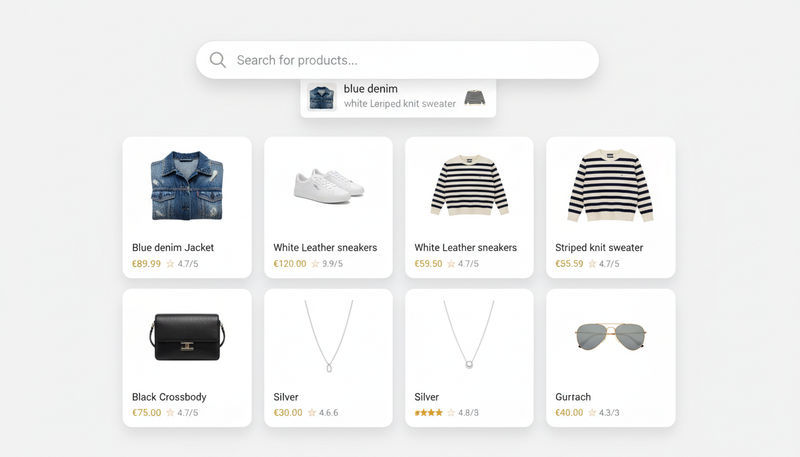
When a query arrives, the discovery layer embeds it into the same space and retrieves the products whose embeddings sit closest. The match does not depend on shared tokens. It depends on shared meaning. Sneakers for flat feet retrieves arch-support shoes. Waterproof hiking jacket that ships in two days under $200 retrieves the relevant outerwear, filtered against inventory and shipping constraints. The empty page disappears as a failure mode.
The pipeline has three moving parts: an embedding model that converts every product (and every query) into a vector, an index that stores those vectors and supports fast nearest-neighbor lookup, and a small reranking stage that applies business rules — inventory, margin, personalization — on top of the geometric match. None of these are exotic in 2026; what is hard is the operational hygiene around catalog freshness, embedding drift, and observability across the whole pipeline.
How AI-native search eliminates zero-results natively
A discovery layer built around vector embeddings stops thinking about zero-results as a separate problem. The result set is always populated, because the geometric nearest-neighbor lookup always returns something — and the layer's job is to decide how confident the match is, not whether it exists.
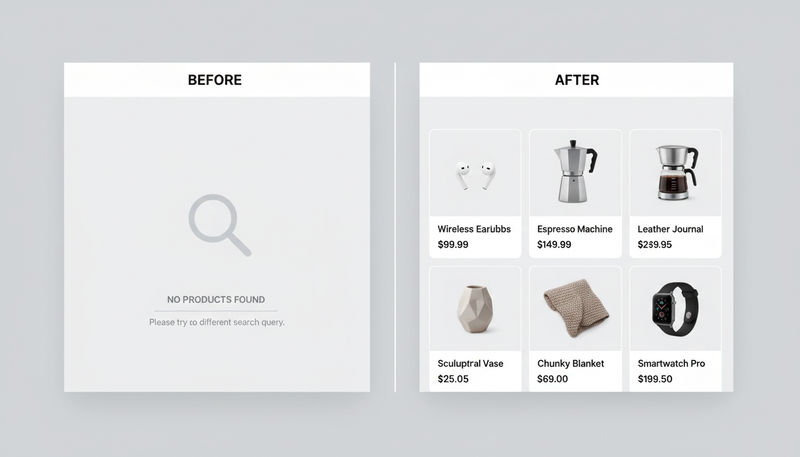
In practice, the layer ranks every retrieved candidate by similarity score and applies a confidence threshold per query class. Above the threshold, results are shown as normal. Below the threshold, the layer surfaces a graceful soft-no-results experience — "we couldn't find an exact match, but here are products our shoppers with similar needs have found useful" — paired with the closest matches. The shopper never sees a blank page. The team gets every query as a usable signal.
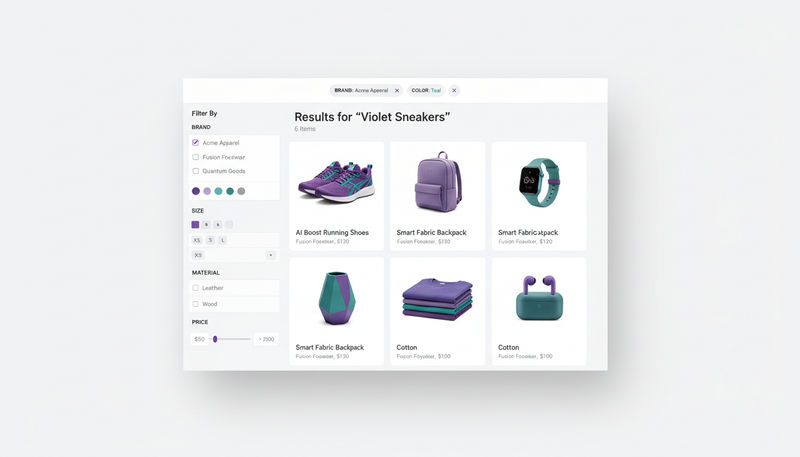
Neural intent matching extends this further. Instead of treating the query as a string, the layer decomposes it into structured intent — need: arch support; price ceiling: $80; delivery window: under 2 days — and matches each component against the catalog. When the catalog cannot satisfy every constraint, the layer relaxes the least-important one and tells the shopper what it adjusted. This is the difference between a dead-end search experience and a conversational, accommodating one.
The full surface — embedding-based retrieval, intent decomposition, business-rule reranking, and observability across human and agent traffic — is what the seekora AI search product handles natively. Engineering teams evaluating where to start can look at the seekora product overview for the architecture, or skip to the developer quick-start for the integration path.
Practical fixes you can ship this week
While a full migration to vector-based discovery is a multi-quarter project, there are concrete improvements an ecommerce team can ship in the current sprint to reduce the cost of zero-results events.
Instrument a dedicated zero-results metric in the analytics pipeline. Make sure the team can see, per day, what fraction of searches hit empty. Slice it by query length, top empty queries, and entry source. The first week of data almost always surprises teams who did not previously track this.
Maintain a top-empty-queries dashboard and review it weekly with merchandising. Many zero-results events are recoverable through synonym additions, catalog metadata fixes, or new product additions. The shopper population is telling the team exactly what it wants to buy.
Design the no-results page itself as if it were a landing page, not an error page. Include a prominent search bar with the original query, a row of top-converting products, category-level browse options, and — critically — a feedback widget so the shopper can tell the team what they were looking for. Treat the no-results event as a conversation, not a wall.
Finally, start a shadow-routing experiment with a vector-based retrieval layer in parallel with the existing index. Send the top-empty queries to both, compare what each returns, and use the comparison to decide where to migrate first. Most teams find that even a small slice of vector retrieval — focused only on the queries the legacy stack cannot answer — recovers a measurable share of lost conversion.
Wrapping up: where to start
Zero search results are not a small UX cosmetic issue. They are the most expensive, least-instrumented failure mode in ecommerce search, and they get worse — not better — as shoppers grow used to expressing themselves in natural language and through AI assistants. The legacy stack was never built for the way real shoppers actually search; it was built for the way teams thought shoppers would search a decade ago.
The practical path forward has three steps. Measure the zero-results rate today. Treat the no-results page as a conversion surface rather than an error state. And start migrating retrieval to a vector-embedding-based stack, surface by surface, so the empty page disappears as a category. The seekora team has built the discovery layer for exactly this — neural intent matching, vector retrieval, structured constraint handling — so the empty results page stops being a failure mode and starts being an artifact of an earlier era of ecommerce search.
How to Fix Zero Search Results in Ecommerce: A UX Guide
- Why zero-results pages quietly kill ecommerce revenue
- The three reasons keyword search fails on real shopper queries
- What every empty results page actually costs
- What vector embeddings actually fix
- How AI-native search eliminates zero-results natively
- Practical fixes you can ship this week
- Wrapping up: where to start


Stay ahead of the curve.
Subscribe to get the latest e-commerce insights and AI strategies delivered directly to your inbox.